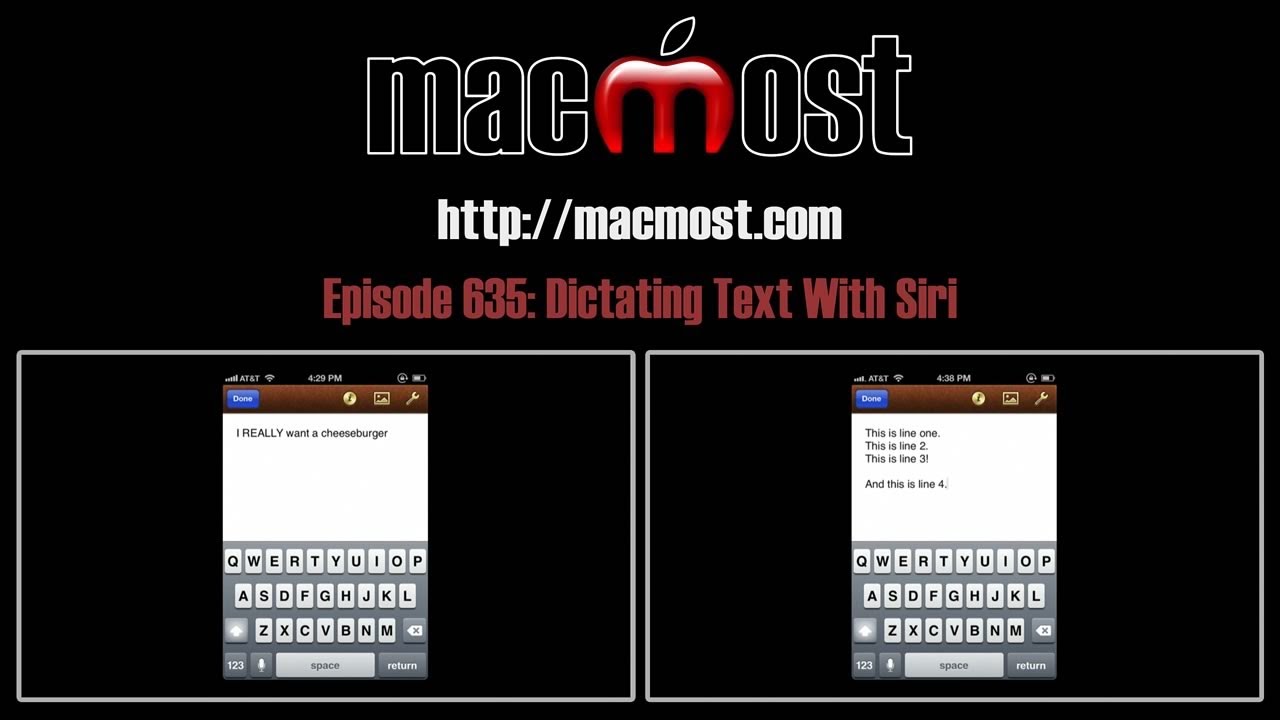
One feature of Siri is the ability to dictate text instead of typing on your iPhone. Siri recognizes words and needs no special training. You can also type punctation and special symbols and commands.
Related Subjects: iPhone (299 videos), Siri (27 videos)
Related Video Tutorials:
No related posts.
Comments: 20 Responses to “MacMost Now 635: Dictating Text With Siri”
Kika Wai'Alae
12 years ago
Is there a siri app that can be used on iPhone 3 and or the iMac?
Which part of Siri? If you are talking about just the dictation portion, like in this video, then the Dragon app on either Mac or on the iPhone is a good one. If you mean the assistant part of Siri, then there is really not much you can do on an earlier iPhone But on a Mac, you can use the speech recognition built into your Mac to do some things Siri does, and some things it doesn't do as well. See episode 622: http://macmost.com/speech-recognition-for-your-mac.html
sherry howard
12 years ago
I am very hard of hearing and have a friend who is deaf. We need to be able to understand the speech at meetings, ind of like we need closed captioning of some type to help supplement what I can hear. Will siri take notes from a speaker over p.a. system? Do you know of anything that will yet? This is the closest I've seen so far for my needs.
Not really. It is not meant for that. You would need to speak directly into your iPhone and speak clearly. I can imagine that a product like what you are thinking of is close, but this isn't it.
Tom B
12 years ago
In the example where Siri places a space before the ending quote, and doesn't leave a space before the next word, you can say "close quote" for the ending quote and it will work correctly.
Tim
12 years ago
I have tried repeatedly to speak individual letters in a manner that Siri can understand. Unfortunately, It has unfailingly fallen short each and every time. I was a speech communications major in college so I do not have a thick accent. the approach shown on this website didn't help either.
Cindy
12 years ago
When I am I'm my car and my phone is bluetoothed Siri doesn't understand much of what I said and when I ask her to call she MAY try to call and then disconnects phone
Cindy
12 years ago
Also she cannot anything on the hand free thing in my car when I ask her to text. She gets about every other word and when its over bluetoothed it hangs up
Gregory
12 years ago
The misplaced quote was the command you gave and not Siri getting it right. If you say
"Quote" I love my new iPhone "comma" "unquote" he said
you get: "I love my new iPhone," he said
which is correct. When you say "quote" the quote mark starts before the work and when you say "unquote" the quote mark comes after the word (or punctation).
Gregory
12 years ago
The misplaced quote was the command you gave and not Siri getting it wrong. If you say
"Quote" I love my new iPhone "comma" "unquote" he said
you get: "I love my new iPhone," he said
which is correct. When you say "quote" the quote mark starts before the word, and when you say "unquote" the quote mark comes after the word (or punctation).
Murray
12 years ago
I have the iphone 4s and like siri. but i would like to be able to dictate longer documents in a word processor. this means correcting errors, being able to pause before going on, etc. Can siri do that or can i use the free dragon app even though siri is on the phone?
And btw, i will want to download the result to my own MS word on a computer after. Can i do that with any iphone word processor app?
Try the Dragon app. See if it fits your needs.
You can always email yourself the text and paste it into any word processor.
Martin Margulis
12 years ago
I use Siri in Notes, do minor corrections by selecting the mistake and correcting either manually or by dictating. I then email the note to myself, copy and paste into Word if more corrections are necessary.
Carlos Rivera
11 years ago
Is there a time / word limit to how much you can dictate to Siri?



Is there a siri app that can be used on iPhone 3 and or the iMac?
Which part of Siri? If you are talking about just the dictation portion, like in this video, then the Dragon app on either Mac or on the iPhone is a good one. If you mean the assistant part of Siri, then there is really not much you can do on an earlier iPhone But on a Mac, you can use the speech recognition built into your Mac to do some things Siri does, and some things it doesn't do as well. See episode 622: http://macmost.com/speech-recognition-for-your-mac.html
I am very hard of hearing and have a friend who is deaf. We need to be able to understand the speech at meetings, ind of like we need closed captioning of some type to help supplement what I can hear. Will siri take notes from a speaker over p.a. system? Do you know of anything that will yet? This is the closest I've seen so far for my needs.
Not really. It is not meant for that. You would need to speak directly into your iPhone and speak clearly. I can imagine that a product like what you are thinking of is close, but this isn't it.
In the example where Siri places a space before the ending quote, and doesn't leave a space before the next word, you can say "close quote" for the ending quote and it will work correctly.
I have tried repeatedly to speak individual letters in a manner that Siri can understand. Unfortunately, It has unfailingly fallen short each and every time. I was a speech communications major in college so I do not have a thick accent. the approach shown on this website didn't help either.
When I am I'm my car and my phone is bluetoothed Siri doesn't understand much of what I said and when I ask her to call she MAY try to call and then disconnects phone
Also she cannot anything on the hand free thing in my car when I ask her to text. She gets about every other word and when its over bluetoothed it hangs up
The misplaced quote was the command you gave and not Siri getting it right. If you say
"Quote" I love my new iPhone "comma" "unquote" he said
you get: "I love my new iPhone," he said
which is correct. When you say "quote" the quote mark starts before the work and when you say "unquote" the quote mark comes after the word (or punctation).
The misplaced quote was the command you gave and not Siri getting it wrong. If you say
"Quote" I love my new iPhone "comma" "unquote" he said
you get: "I love my new iPhone," he said
which is correct. When you say "quote" the quote mark starts before the word, and when you say "unquote" the quote mark comes after the word (or punctation).
I have the iphone 4s and like siri. but i would like to be able to dictate longer documents in a word processor. this means correcting errors, being able to pause before going on, etc. Can siri do that or can i use the free dragon app even though siri is on the phone?
And btw, i will want to download the result to my own MS word on a computer after. Can i do that with any iphone word processor app?
Try the Dragon app. See if it fits your needs.
You can always email yourself the text and paste it into any word processor.
I use Siri in Notes, do minor corrections by selecting the mistake and correcting either manually or by dictating. I then email the note to myself, copy and paste into Word if more corrections are necessary.
Is there a time / word limit to how much you can dictate to Siri?
30 seconds at a time, I believe.
How do i get Siri to write 'one' and not '1' when I dictate 'one of my friends'?
In my tests, and it seems with everyone else, SIri will write "one" when you say "one of my friends." What are you saying before the "one?"
Could be 'eating with' or happily married to', but generally speaking I often have to key in 'one' to replace 1.
Interesting. I tried both of those and got "one" each time. Maybe it is a language difference? I am using U.S. English.
Will test again and get back to you. Just something that's been puzzling me for a while and I happened on your page so I asked. Thanks!