There's actually an applescript to toggle it on and off for you:
set proc_ to "/System/Library/Components/KeyboardViewer.component/Contents/SharedSupport/KeyboardViewerServer.app/Contents/MacOS/KeyboardViewerServer"
set app_ to "KeyboardViewerServer"
try
do shell script "ps -axwww | grep" & space & proc_ & space & "| grep -v grep"
tell application app_ to quit
on error
do shell script proc_ & space & "> /dev/null 2>&1 &"
end try
Then, you can make it as an applescript application and run it from spotlight.
Check out the macosxhints.com hint for a better explanation:
Are you talking about using the SDK to create iPhone apps. I would post that to one of the developer forums. I don't think you'll get an answer here as this has to do with users typing special characters into finished applications. Not developers.
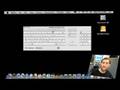



There's actually an applescript to toggle it on and off for you:
set proc_ to "/System/Library/Components/KeyboardViewer.component/Contents/SharedSupport/KeyboardViewerServer.app/Contents/MacOS/KeyboardViewerServer"
set app_ to "KeyboardViewerServer"
try
do shell script "ps -axwww | grep" & space & proc_ & space & "| grep -v grep"
tell application app_ to quit
on error
do shell script proc_ & space & "> /dev/null 2>&1 &"
end try
Then, you can make it as an applescript application and run it from spotlight.
Check out the macosxhints.com hint for a better explanation:
http://www.macosxhints.com/article.php?story=20080326102502259
MacTipper
My Mac-Tipping Blog
Inserting "£" in a string
--------------------------------------------------------------------------------
iPhone Application writes data to a text file, saves it on the Documnets folder. Great that works
If I place "£" in the string, or use [currencyStyle stringFromNumber] the text file will not be created.
The "£" and the [currencyStyle stringFromNumber] works if the information is printed to a "New View" page on the simulator, pound and all
Can someone please explain what happening?
Are you talking about using the SDK to create iPhone apps. I would post that to one of the developer forums. I don't think you'll get an answer here as this has to do with users typing special characters into finished applications. Not developers.