
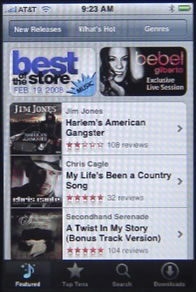
The iTunes application on the iPhone is a small version of the iTunes store found in the Mac and Windows iTunes application. You can see the featured and new releases, top ten lists, browse by genre and search. You can then purchase music and get it directly on your iPhone.
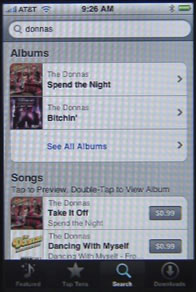
The search functionality allows you to search for group, album or song name.
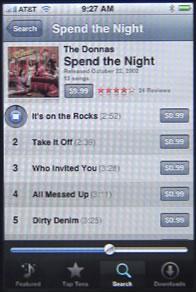
When you select an album, you can purchase the entire thing, or a single song. You can also preview a song by clicking on its listing. It plays a 30-second clip.
Click on the Downloads button at the bottom of the screen to see any songs you have purchased. These will automatically be added to your iPod Application as well, so after purchasing there is no need to use the iTunes Application to play the songs.
iPhone iTunes Store
You can currently only purchase music on the iPhone. The full iTunes application on Mac and Windows allows you to purchase music videos, TV shows and movies as well.
Comments: 6 Responses to “iPhone iTunes Store”
Comments Closed.


How do I transfer music bought from iTunes on my iPad, to my iPhone?
When iOS 5 and iCloud comes out that will happen automatically. But until then, just sync your iPad with your Mac or PC. Then sync your iPhone. Music should transfer to your computer in iTunes. Then if you have your setting right for your iPhone they should transfer from there to your iPhone.
How do I change my payment information on iTunes for iPhone? It is currently connected to my old bank account and I am unable to purchase new music. I would lime to set it up to use iTunes card not bank card.
http://support.apple.com/kb/HT1918
The icon for the iTunes store on my iPhone has disappeared, and I can't use the 'store' button in the iTunes player to access the store either. The app store is still there but doesn't list the iTunes store as an available app. How do I get the store back? I didn't think it was deletable and I didn't delete it myself so it's all pretty strange.
Try going into Settings, General, Reset, Reset Home Screen. See if that restores it. If not, you'll need to do a full backup and restore.