
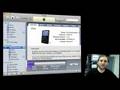
Gary Rosenzweig looks at how you can sync your iPod or iPhone to multiple computers using manual settings.
▶ You can also watch this video at YouTube.
▶ Watch more videos about related subjects: iPod (15 videos), iTunes (73 videos), Sharing (12 videos).
▶ You can also watch this video at YouTube.
▶ Watch more videos about related subjects: iPod (15 videos), iTunes (73 videos), Sharing (12 videos).
Video Transcript
Hi, this is Gary Rosenzweig. You know, we get a ton of questions here at MacMost about how to sync your iPod or iPhone to multiple machines. So let's take a look at that in this episode of MacMost Now.
(intro)
Gary: Okay, so if you want to sync your iPod to multiple machines, it seems hard at first. After all, you plug it into a second machine and it complains that it's already synced to another machine. And then there's things to deal with, like, where are your contacts? Where are your calendar events? That type of thing. Are they in one machine, multiple machines, what does an iPod do with them? Well, it's actually pretty easy to sync to multiple machines as long as you don't sync at all. Well, let me show you what I mean.
Okay, so when you want to sync this with a machine, you plug it in and you get iTunes. And in iTunes you can see your device show up, and you can also see lots of different tabs about it, and you can also see the music that's on it. Now, in order to sync to multiple machines, the idea is not to sync at all. You have to do it manually.
Check off the "manually manage music and videos". The idea of syncing to a single machine, well that's for the simplest case, right, when you've got one Mac, you've got one iPod, you just want to sync them together and you don't have to worry about it. But if you're going to have more than one machine, then you're going to have to manage things yourself. It's actually quite easy, so don't be afraid of it.
Okay, so, after you've turned on "manually manage music and videos", all you need to do to move music onto your iPod is drag it! So, click on the music tab there so you can see all your music. There! Then you click on your music on your iMac, I don't have any on this one, but all you have to do is drag it over to the iPod. You can drag music from this machine onto the iPod, and hook it up to another machine and also drag it onto the iPod. The thing you can't do is drag it from your iPod back to a machine. That would make it too easy for people to steal music, at least that's what Apple and the music companies think.
Now, for syncing up the rest of your stuff, What you want to do is you want to is go back to your device and you want to look at all the different tabs here. So for instance, if you go ahead and take a look at "Contacts", you can see "sync address book contacts". Now if I turned that on for this machine, it would sync all the contacts from this machine, and I just wouldn't turn it on for the other machine. You can do the same thing with calendars, for instance. And you can do the same thing with photos, or you can, say, select certain albums that you want from this machine to go onto the iPod.
Now, the question is, how do you easily do this? I mean, if you've got a ton of music on one machine and a ton of music on the other, and you don't really keep track, how do you know what new stuff you've added? Well, you don't have to worry about it, because all you need to do is basically drag your entire library onto the iPod, and it will figure out what's already there and not copy that. So, for instance, you've got 38 albums on your machine and you add a 39th, you can simply drag the entire library full of songs, and it will simply add that new album to the iPod and not create duplicates of the other ones. You can do the same thing on the other machine, as well, It's not that hard, really, as long as you don't add music and subtract music all the time it should work quite well.
Now, if the real issue here is that you have multiple machines and you've got calendars and contacts you want to share between the machines and your iPod or iPhone, then you should first probably look for a solution to sync those multiple machines. You can do that through dot mac, for instance. And then, once all the machines are in sync, it doesn't really matter which one you sync your iPod to for contacts and calendar events. You can probably try the one you hook your iPod up to most frequently.
So, the bottom line is, if you want to go ahead and sync your iPod or iPhone to multiple machines, it's a little more work for you, but, of course, you'll get exactly what you want in the end. Until next time, this is Gary Rosenzweig with MacMost Now.


Hey Gary,
Did you use Screenflow to make this episode?
Oliver: No. But I did use Wirecast, which is from the same company (Vara) so there are some similarities.
Thank you so much. this was soooo helpful!!!!!!!!
THANK YOU!!! I was ready to pull my hair out. Your solution is SO simple. I apprecitate it!
awesome. thanks
When I check the manually manage box, it asks me to apply the setting, when I try to do so, it says i need to erase my ipod and sync to the computer.
Which type of iPod do you have?
I get the same message with my Iphone 3GS
What if one computer is a Mac and one is a Windows. Is the procedure the same?
Yes. It should be. You just need iTunes on both.
Dear Gary
Just wanted you to know how much I enjoy your Tips and Tutorials. I particularly enjoyed the recent article on why Macs do not require virus protection software.
Keep up the great work!
Terry Gibson
Calgary, Canada
Dear Gary
I wanted you to know how much I value your MacMost now Tips and Tutorials. I have learned a lot from them. I particularly enjoyed the recent one on why virus protection software is not required for the Mac.
Keep up the great work.
Terry Gibson
Calgary Canada
Thanks!
Hi Gary
Does this method still work if you are using iTunes 9? I don't seem to be able to drag tracks from my macbook over to my iphone. Track just bounces back to the music library on the macbook.
By the way, great site. John, Glasgow, Scotland
Yes. It definitely still works if you use iTunes 9 with an iPod (not an iPhone, though). But it has to be set to manually sync. And what you are dragging to the iPod needs to be something the iPod can handle -- mp3, aac, video of the right format, etc.
In attempting to 'not sync' my iPod Touch to a second (and third) Mac, I was able to bypass all the warnings about erasing current library, etc. and get to the main menu to click on the 'manually sync' option; however, I find that I can't drag and drop to the iPod icon. I highlight the song, and attempt to drag it to the iPod icon, and nothing happens. What am I missing?
Love this site! Often look for answers here, but I can't figure this one out on my own!
You can't do it just be bypassing those warnings. Your iPod is still synced with your 1st mac, so you can't do it. You have to switch it to manual completely (erasing everything on it)
I'm not even sure that you can do it at all with a Touch -- I've got mixed reports about that. I don't have one to test.
I have much more music than my 32G iPod will hold, not to mention video. I can pretty much get it to fit by telling it to convert to MP3 when I synchronize from my Mac. But I get more by not synchronizing everything. Then I switch it to manual before taking my iPod to work. When I get new music, I need to compress it before I load it on my work computer. Periodically I turn on sync at home to get my selection updated.
What I'd like to see is this updated for iPads. I got the biggest iPad, but still needed to compress my music. Then I had to create a new selection of most recent events in my iPhoto because my complete iPhoto won't fit. Trouble is, we kept the master iPhoto on my wife's machine and used Chronosync to copy it to mine (iPhoto isn't designed for multi-users). Since she doesn't keep much on her iTunes, I wanted to sync to her iPhoto and my iTunes, but couldn't figure out how to do it.
Our work-around was to switch my computer to being the master for iPhoto as well as iTunes.
Maybe I am not understanding what he is saying about iPhoto, but I don't see why iPhoto can't be used by multi-users. Each person can have his or her own library. When you start up iPhoto, just hold down the option button and you will have the option to create a new library or to open one of your other libraries (other than the one last used).
Gary,
Starting to be a big fan, LOTS of problems with duplications..
I have one Big Imac, a macbook pro, three iphone, mobile me account , a wife, a treatment coordinator, an office manager, a HR person and two kids in preschool.
All need to see my calendar to make appointments, and i also need to make appointments. But where my frustration lies, is in the duplications of addresses, contacts, and calendar events, I have even brought all the above said devices to the store and left them there for a day and now my mess gets bigger and bigger. Now i have combines contacts with the wrong names and profile phots with the wrong person,UGHHHHHHHH,, If possible please respond to my email to help,,,
Happy holidays
Dr. Anthony LaVacca DMD
NDScare.com
If I were you I would look for a all-in-the-cloud solution. Something like Google apps.
thank you so much this was so easy and you say what it means and show it clearly. not like you tube kids. i am surprised you didn't need to download another program like some people do. <3
Gary, I have an Ipod that has about 2000 songs on it that was created on another pc that the hard drive crashed on. Is there any way to either sync it to a new pc or get the songs off it?
Thanks and enjoy what you do here.
Nick >
I'm guessing that you don't have a backup of that PC's drive?
You can use some hacking tools (search for them) to get the music files off of it. Some are better than others, and it will require some manual work too. Been years since I looked at tools that do this, and I hope for your sake they work better today.
You are doing great job!
I love your tutorials. They are much more straightforward than most and yet thoroughly cover what I need to know. I would love to have one about synching the iPad. Apparently, iCloud is allowing me to synch it wirelessly which is fine for apps. But I am not getting the music I want. (I have multiple music libraries on my MacBookPro). If I hook it up to one of my Macs and check manually manage music, will it affect the apps? I don't think it will, but I don't want those messed up. Thanks for all the work you put into helping us get the most from our Macs!
iCloud and wireless syncing are two separate things.
iCloud lets you sync contacts, events and some other data through the Internet. Wireless syncing is the same thing as syncing with your Dock cable to your Mac or PC, but it uses your local wifi network instead of the cable.
Gary: My co-worker, who unfortunately is all PC based has a problem. His wife and he own iPhones and his two kids iPods. Somehow the identities have been switched so when he plugs his phone in, iTunes says it is his wife's, etc. Big problem is little sis' iPod is full and little brother's isn't. So when he tries to load apps it says his machine is full, when in fact it is his sister's that is full! Any ideas on how I can help them fix this mess? (I am the Mac go-to guy in the office, but haven't seen this before!) Thanks for your help!
Never heard of that before. I would do a full restore on both and get them back to how they should be.
thanks so much for the info.it worked well,even though your video was long ago.just as an update,i have ipod touch 4th generation and itunes 10.so like u said i chose my ipod on the left pane of the window and in summary chose manually manage music and videos.then i drag and drop my songs in music within library.then i go to music on my ipod and then click autofill,and now the new songs in my library are on my ipod on my second PC.ur vid helpd me to gets this done so big up and respect.later im gonna see how putting on videos and apps on my ipod from my second PC works out.