
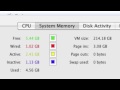
You can use Activity Monitor to see how your Mac is using memory. But what do free, active, inactive and wired mean? How about page ins and page outs? Plus, learn to use them to figure out if you need more memory.
▶ You can also watch this video at YouTube.
▶
▶ Watch more videos about related subjects: Hardware and Accessories (15 videos), Mac Software (89 videos).
▶
▶ Watch more videos about related subjects: Hardware and Accessories (15 videos), Mac Software (89 videos).


Nice explanation. Thanks Gary.
Excellent and very informative.
Awesome explanation! much appreciated! thanks.
You answer some of the questions I have always wanted to ask!
I love MacMost Now. I follow on Twitter and Facebook. Gary keeps me up to date with easy to follow explanations. I'm waiting for his iPad manual!
Thanks!
Very good, very complete and simple to understand. Particularly liked the look
at page in/page out which often gets overlooked by explanations of the pie chart.
I'd like to monitor the performance of the video memory in my Mac Pro. Does anyone know of a solution for me?
Thanks!
you're so awesome! thanks alot
Thanks.
What about Swap Used:? What does that measure?
That's how much memory has been copied to the hard drive -- virtual memory, in other words.
Thank you for the quick reply. I just noticed you mention swap used. I must have been up too late.
This is a great overview for anyone wondering about their RAM and it's capacity sufficiency. :)