
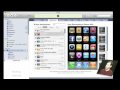
Learn how to use iTunes on your Mac to arrange your iPhone and iPod Touch apps. You can move them between screens and decide which ones sync.
You can get Gold Strike at the App Store.
▶ You can also watch this video at YouTube.
▶
▶ Watch more videos about related subjects: iPhone Apps (29 videos), iPhone OS (25 videos), iTunes (73 videos).
▶
▶ Watch more videos about related subjects: iPhone Apps (29 videos), iPhone OS (25 videos), iTunes (73 videos).


Well, I am sure you are aware of this, but as you didn't mention it:
You can drag entire screens around, so, if you get a screen with only a single icon in the middle of your screen stack - simply drag that screen below the bottom page; that way you only need to reposition a single icon.