
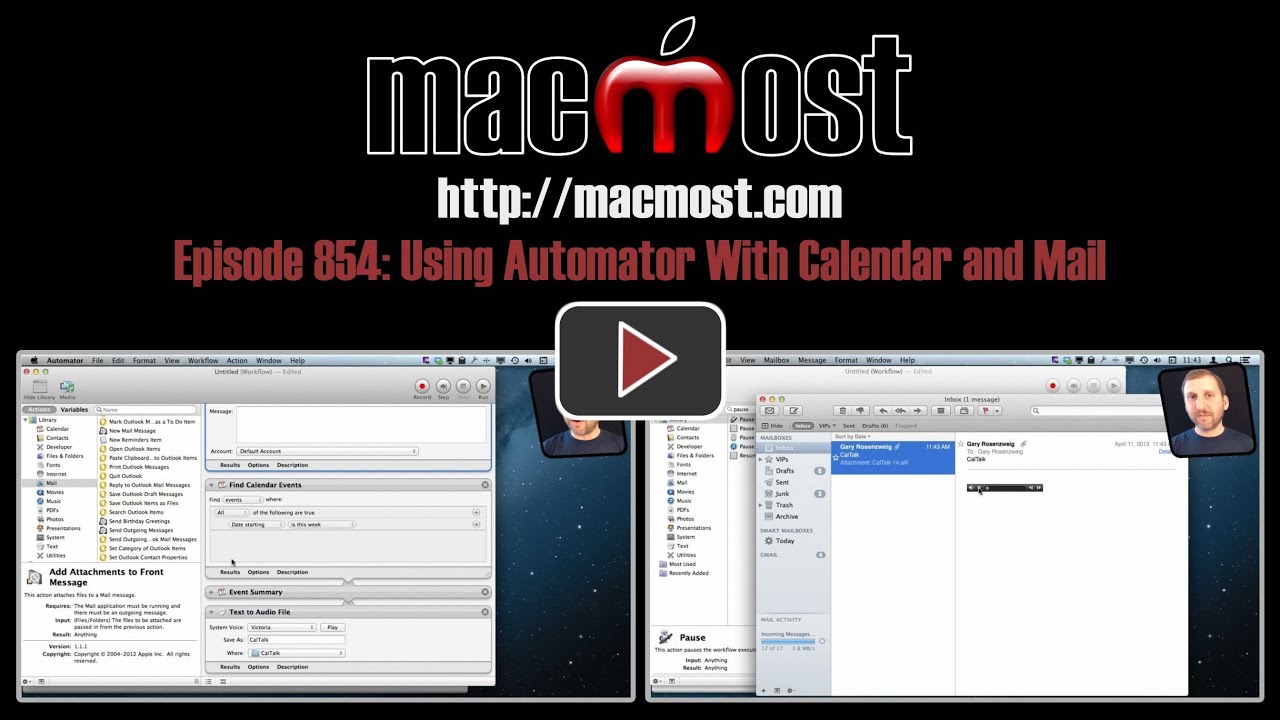
Learn about some of the actions in Automator that control the Calendar and Mail app. Build a workflow that will search your events, summarize them as text, and convert that text to an audio file. Then Mail can send it as an email message.
▶ You can also watch this video at YouTube.
▶
▶ Watch more videos about related subjects: Automator (50 videos), Calendar (36 videos), Mail (90 videos).
▶
▶ Watch more videos about related subjects: Automator (50 videos), Calendar (36 videos), Mail (90 videos).
 Want to know more about how to use Automator on your Mac?

I followed your directions exactly yet it does not send the email. I have increased the pause to 15 seconds with still no luck. Any suggestions?
Play around with it. With programming, you sometimes have to "play detective" and troubleshoot problems. Is it switching to Mail? Does it work if you manually click Send? Investigate and experiment.
Where would we be without you, Gary? As always, thank you for sharing your knowledge with us and in such a great, understandable, interest inducing format.
js
What js said. Thanks Gary - I had no idea this was available.
Brilliant!
MAIL:
"Shift-command-D" is shortcut for 'Deliver' is more intuitive than "Shift-Command-D" for 'Send', IMHO.
Shift-command-A = Attach file, etc.
Thanks again for your wonderful Keyboard Shortcut list at
http://macmost.com/printable-mac-keyboard-shortcut-page-for-mountain-lion.html
Thanks again,
js