Monthly Archives: July 2018

7/31/18

Apple reported its best third-quarter results yet with a net profit of $11.5 billion. MacRumors has a good run-down of the numbers. As expected, services made up a good chunk of the revenue growth, with iPhone still being the majority from strong iPhone X sales. iPad and Mac still had respectable numbers, especially considering there were no new models.

What continues to surprise is the number of new Mac purchases that are for first-time Mac buyers. 60 percent means a lot of people are still switching to Mac from Windows. Apple Pay also continues to expand, hitting 7/11 in the U.S. soon and being available in Germany later this year too.
7/31/18

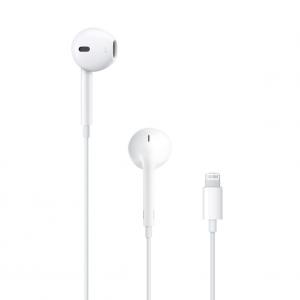
A Japanese blog is reporting that the new iPads coming out later this year will feature smaller bodies and no headphone jack. Others have also reported that maybe new iPads will have a “notch” and no Home button like the iPhone X to allow the display to go to the edges. (more...)

7/31/18
Suddenly, while checking/using Launchpad, I noticed something new had been added: [Mac Tonic] I researched on the net, while most see it as beneficial, one or two recommend removal as it is considered “malware”. Gary, do you know anything about Mac ... (2 Comments)
7/31/18

Since you talk instead of type to communicate with Siri, it is an ideal way to find out the spelling of a word. Just ask Siri on your Mac or iOS device: “How do you spell daiquiri?” Not only will you see the result, but Siri will spell it out for you.
How To Use Keyboard Accessibility Features On Your Mac
7/31/18
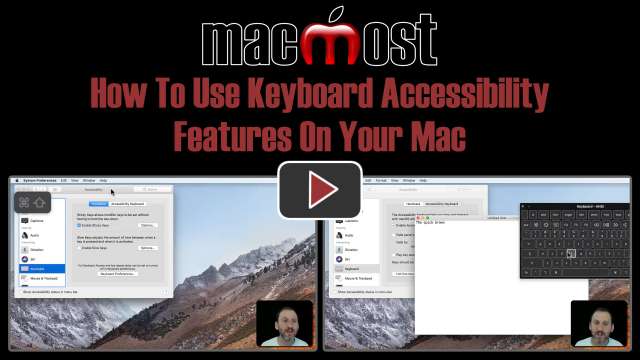
In System Preferences there are several keyboard-related accessibility features that can be useful for anyone. You can set modifier keys to remain active so you can use keyboard shortcuts without needing to hold down multiple keys at the same time. You can enable typing sounds and a slight delay to prevent keyboard errors. You can also bring up an on-screen keyboard to use if you are having hardware issues.
7/30/18
I’ve created a “how to” manual and have lots of pics on it in a pages document. When I go in and add/remove whatever with texts and paragraphs the pictures move. It messes everything past that up and drives me nuts. I’m a beginner, so any help would be ... (2 Comments)
7/30/18
I need to change the spelling in the same word I have used multiple times in a Pages document. Can I do all the changes to the word in all the places it is used in the document a one time? —– Gene ... (2 Comments)
How To View Folder Sizes
7/30/18
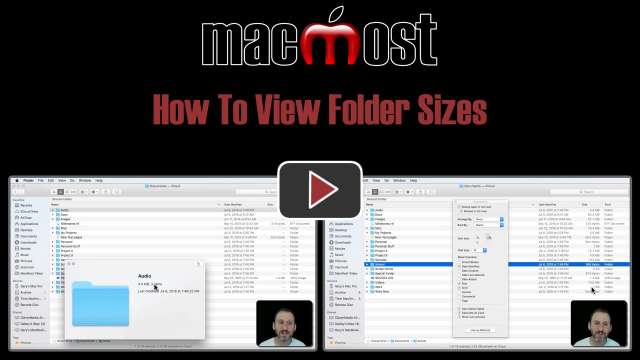
When you look in List View in the Finder, you'll see a file size for every file, but no size listed for any folders. You can still view the total size of a folder using one of several methods. You can Get Info on a folder to see the size and number of files. You can also use the File Inspector. Quick Look also displays the folder size. If you want to see the sizes of all folders in List View, you can enable that by changing a setting.
7/27/18

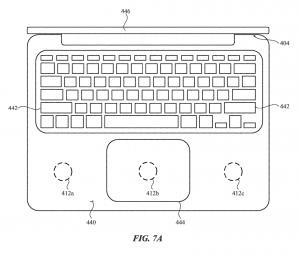
Digital Trends has an interesting look at an Apple patent that shows MacBooks and iPads acting as inductive (wireless) chargers for iPhones and Apple Watches. You just stick one device on top of the other and it charges. But the headline they pull out of this patent is about a minor point where the MacBook appears to maybe have a touch screen. (more...)

Technical Terms: Serif and Sans-Serif
7/27/18
Most fonts can either be called Serif or Sans-Serif fonts. The difference is that Serif fonts have extended strokes at the ends and corners whereas Sans-Serif fonts do not. The use of this term predates computers, and the existence of serifs even predates modern printing. Today it is useful to know the difference when choosing a font for a document or graphic element.
7/27/18
Using an iMac, late 2015, High Sierra 10.13.6. For some time I have been saving those of your newsletter videos which are of particular interest. I used to just click on the green download button on the video window to do this. A few months ago this stopped working and just ... (2 Comments)
7/27/18
I tried Apple forums and it gave me Apple support instructions to go to iCloud list and click “edit”. The go to – sign and click it. That did not work on a card in “MY MAC” and it did not even show a – in the card on the iCloud. So no way to ... (3 Comments)
7/26/18

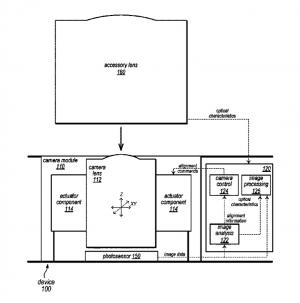
Apple Insider has an interesting story about an Apple patent that would make iPhone external lens attachments work better. The patent itself goes into all sorts of detail about how lenses fit and how the camera would adjust to them. But patents themselves aren’t worth much as rumor sources since Apple has a huge research and development department and they create all sorts of things that may or may not ever be used. (more...)

7/26/18
1)I will be in England all of August with multiple camera SD cards of pics/videos to download to an external hard drive so I may reuse SD cards. I have no laptop. Is there a travel HD that will download SD content & how to do it? 2) recommend best portable power bank to ... (2 Comments)
7/26/18
When App Store Preferences include “Download/Install Newly Available…etc” — will Mojave be “pushed” to those users resulting in the installation of a new upgrade without specific permission to do so from the user? I understand that it might be ... (3 Comments)
Automatic Login And Why You Should Never Use It
7/26/18
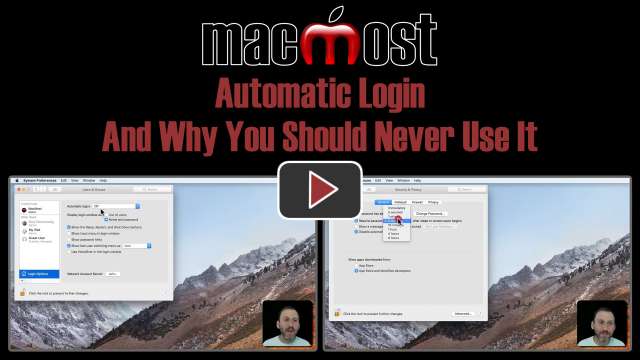
You can set your Mac to not require a password when you start up, wake up or log in. However, you should never use this function. Doing so leaves all of your information vulnerable to anyone who gets physical access to your Mac. Even if you are using a Mac that is stationary and locked up, it doesn't make sense to take the risk. Entering a password every time you use your Mac is a small price to pay for good security. You can mitigate the number of times you enter your password by setting the Require Password time to something reasonable, such as 5 minutes.
7/25/18

You can't always take a picture from the vantage point you would like. But with image editing tools like Acorn or Photoshop, you can adjust the perspective of your photo afterward to make it look like you shot the photo straight-on.
How To Customize the Triple-Click iPhone Accessibility Shortcut
7/25/18
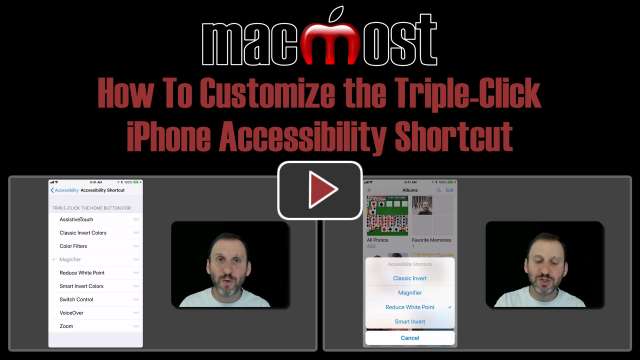
When you triple-click the iPhone's Home button, a variety of things can happen. This can trigger the magnifier, screen zoom, a type of dark mode, other screen filters and a few of types of touch assistance. You can have a single function activate instantly, or choose from a menu of more than one function.
7/24/18

Last week there was a bit of a controversy as a MacBook Pro i9 user reported slowness when rendering video with his new top-end MacBook Pro. Turns out the problem is a software bug, not any performance issue or attempt by Apple to keep the processor from reaching its full potential. (more...)


7/24/18
I have a long list of ‘rules’ to handle junk mail. To avoid the rules, the senders constantly make changes so that I have to make new rules. Because of that, most of my rules probably is of no effect now. Question: Is there a way to delete old rules without have having to ... (5 Comments)