You can drag and drop a document to an app in the Dock to open it with that app. But it doesn’t appear that you can drag and drop to LaunchPad in the Dock, and then continue dragging inside LaunchPad to select an app. But you can. The trick is to wait for a second or two while the document is hovering over the LaunchPad icon. Then LaunchPad launches and you can drag to the app. You can even then drag to the edges of the screen to go to another page inside LaunchPad.

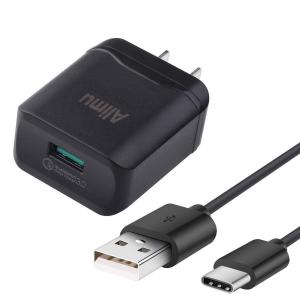
The new 2018 iPhones are expected to allow you to use third-party fast chargers. These USB-C chargers will let you charge your iPhone quickly and use a USB-C to Lightning adapter. Mac Okatara is reporting that this will also mean the chargers need to be certified devices, and if not they won’t work, or at least not at high speeds. (more...)


My problem was that I had to change the permissions on some files almost every day. The files were created by one admin account on my Mac, but I had to then modify them on another admin account. Instead of Command+i and lots of clicks, I came up with a simpler solution using a script.Here's the code: <blockquote>set pathWithSpaces to "/Users/username/Documents/whatever"</blockquote><blockquote>do shell script "sudo chmod -R 775 "& quoted form of pathWithSpaces with administrator privileges</blockquote>

So far Apple products have been spared from new U.S. import tariffs as phones and computers have been exempted. But the Apple Watch could be subject to those new tariffs, which could mean a price increase, or at least the lack of future reduced prices. (more...)

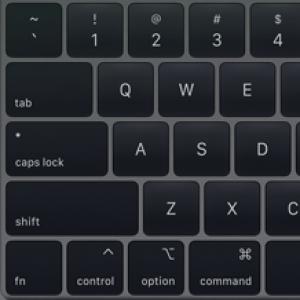
MacRumors today is reporting proof that the new MacBook Pro keyboard is in fact designed to resist dust better than the previous versions. Apple has advertised that the new keyboard is simply quieter, but experts have said that Apple may simply be trying to avoid admitting that the previous keyboards have had issues. (more...)
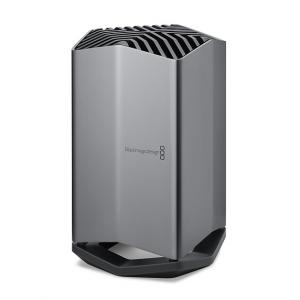
When people complained about the new MacBook Pros using USB-C Thunderbolt 3 ports instead of old USB ports, I kept saying that they were missing something big. These new ports are not just ports, they are like expansion slots. Expansion slots just like opening up a desktop and inserting a card. And since then a few eGPU products have come out that let you do just that kind of thing. (more...)


Monday was World Emoji Day, and Apple shared a preview of some new upcoming characters to celebrate. There will be new facial expressions, and new hairstyles to represent a wider variety of people. (more...)
Say you are viewing an image in Preview and you want to open that same file in Acorn. Instead of finding the file in Finder and opening it in Acorn, you can click and hold the icon in the title bar of Preview, then drag it to Acorn in the Dock. This works with all apps that use the standard Mac title bar on document windows.

I'm working on future MacMost episodes since I'll be going on another one of my International journeys soon (I'll be posting pictures!). So an episode scheduled for way out on August 7 takes a look at the Print extensions you can get in the Apple Store that will replace Apple's Photo Printing.I thought that Club MacMost may want to see that video now, rather than waiting for August 7. So here it is. I'll probably spend a few bucks on a variety of printing products over the next few months to see which of these is a decent service. But I also expect more services to appear as probably the presence of Apple as a first-party printing service was keeping other services away.
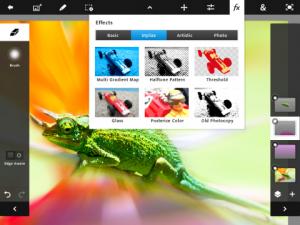
Since the day the iPad launched, people have wondered about the overlap between the Mac and the iPad. Lots of things, like browsing the Web, checking email, word processing and other tasks can be done just as easily on the iPad as on a computer. Pro-level apps have been the divider. Do you want to use Photoshop? Well, you need a computer for that. (more...)